FREE ONLINE BIKE GAME
Play Magpie Panic
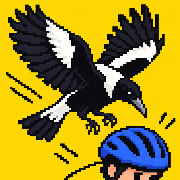
Your street. Their rules.
No download. No account. One more ride.
Tap to load. On a phone, play landscape in full-window view. Pause to return to the site.The game has not connected yet. Check your connection, then retry or open it on its own.
Open game on its own ↗Keyboard works best on desktop. On a phone, rotate to landscape.
Open game on its ownA QUICK REFRESHER
Stay loose.
Save some energy.
Duck any swoop. Hop low hazards. Brake to recharge. When the street opens up, balance a wheelie or time a ramp trick for extra points.
New here? Choose Practice in the game menu. The same route lets you learn without changing your records.
Your score and furthest ride are saved in this browser. No account or cloud save needed. Clearing site data resets them.
See the movesKEYBOARD CONTROLS
- ADor ← →
- Steer freely
- WSor ↑ ↓
- Boost / brake
Balance during a wheelie - SPACEhold
- Duck any swoop
- Qtap
- Hop
Tap in ramp airtime to trick - Ehold
- Wheelie
Release to bank your points - Por Esc
- Pause
LANDSCAPE TOUCH CONTROLS
Playing in your phone’s browser? Turn sideways. Touch the left control area, then push and hold left or right to keep steering. Lift to stop steering. Up boosts, down brakes. The game opens full-window when you ride. Pause to return to the site. The Android app still uses its own steering-stick tuning.
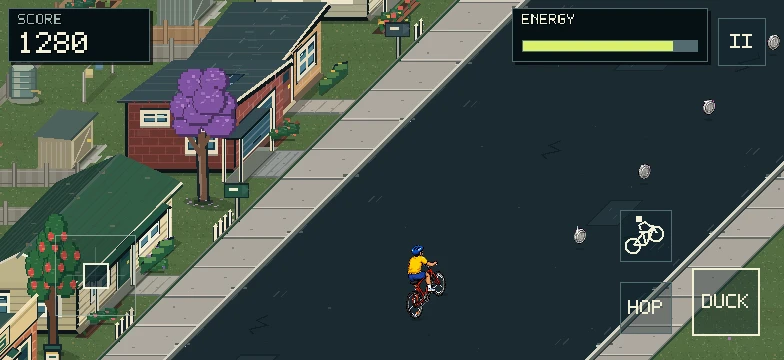
- Left control area
- Hold left / right to steer
Browser: lift to stop steering
Up to boost · down to brake - Hold Duck
- Get under any swoop
- Tap Hop
- Hop on the street
Tap in ramp airtime to trick - Hold bike button
- Wheelie
Move thumb up / down to balance - Release Wheelie
- Bank your points
- Pause button
- Take a breather
ONE ENERGY METER. Boosting, ducking, hopping, wheelies and tricks all use energy. Brake to replenish it faster. Stay in the green while balancing to make a wheelie last longer.
MAKE THE NEXT RIDE COUNT